Media Container Fail without Backup - HomeLab
What happened
While configuring my media server and attempting to fix this issue. I came across another critical issue. I mistakenly configured my VM storage incorrectly, causing that drive to allocate all the memory in my system, which leaves boot issues. and when trying to fix it I attempted to delete the drive. Unfortunately, this drive was the drive for all of my CTs, so deleting resulted in all my CTs being deleted without any backups.
Fortunately, proxmox has a feature where I can recover this pool after deleting, and i was able to get all my CTs back to their original state but my media-docker container was already corrupted due to my attempt to restore the snapshot without the LVM pool being present. So I have to completely set that up from scratch.
Root cause
- Deleting the
local-lvmstorage pool - No backup redundancy solution.
The fix
- Setup
media-dockerLT again - Create a routine backup solution with my unraid storage pool
Prevention
- Triple check drive data before any manipulation
- Ensure to prior to any data deletion, a snapshot of the CT is taken
Solution
Backup Network Share
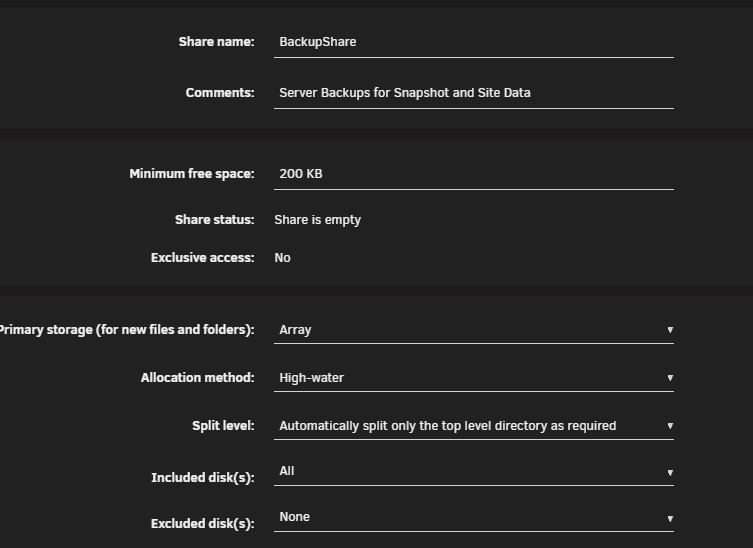
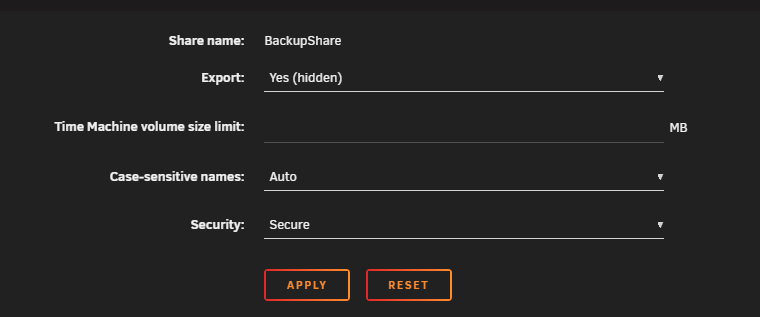
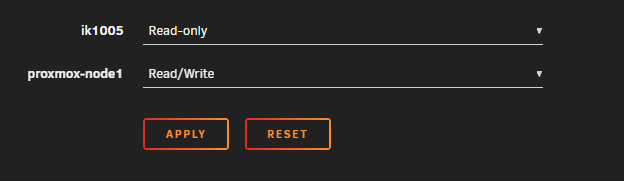
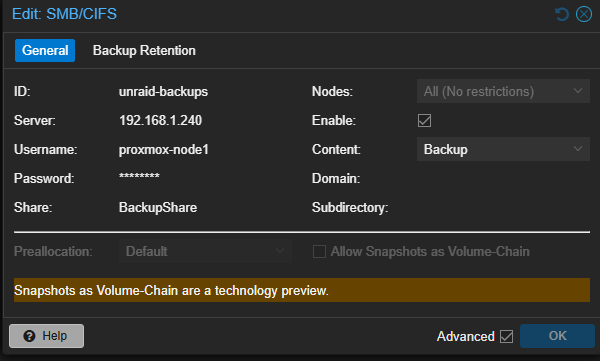
I will create another share on my unraid storage pool designated for backups and mount it to my proxmox node.
Network Share Creation Documentation
Config
Proxmox Mounting
Backup Routine
Scheduled Routine
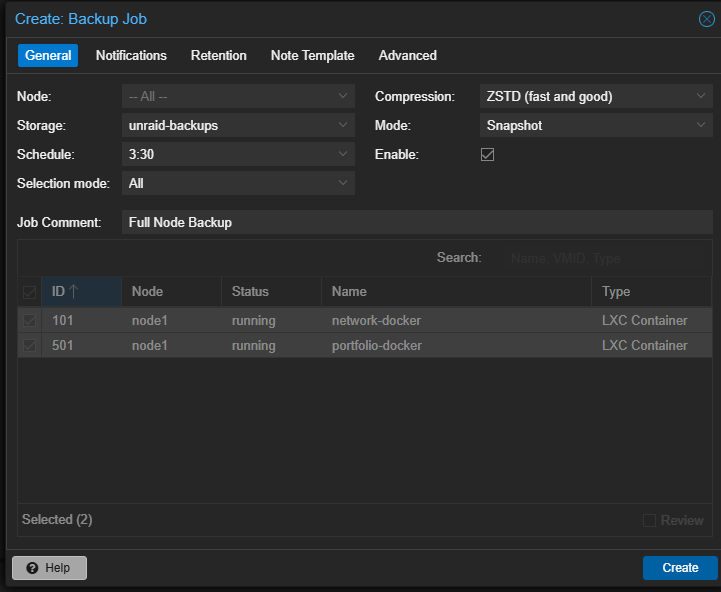
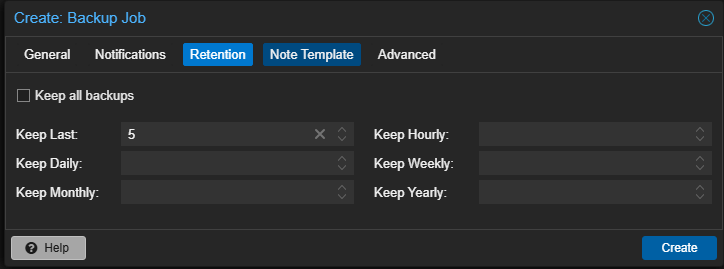
I set it to back up the whole node every day at 2:30am and keep the last 5 backups, this won't clog up too much storage on my storage but also gives me a few days of backups to return back to. Also, I set it to back up at 2:30 because that's typically when everyone's asleep, and my unraid cache flushes to the hard drives at 3:30. That means the backups will write fast and be flushed all before anyone wakes up.
Results
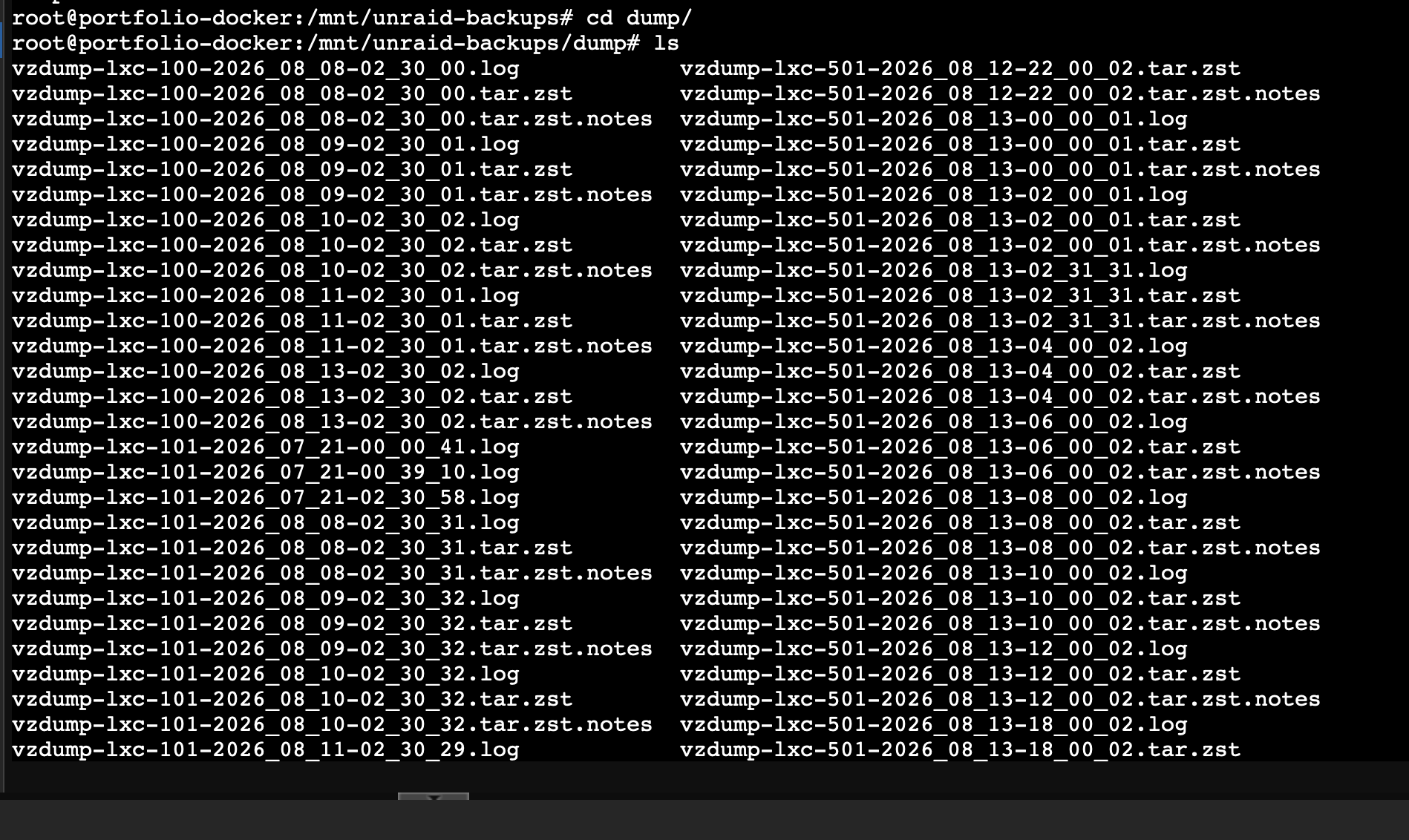
After a few weeks, I looked at my backup logs and files inside my unraid node and my backup solution was a success, This means anytime something happens to my node I can full restore it from the previous days backup and regain access to all my data. My backup array is also sitting at a comfortable 12tbs so im not worried about my array getting full anytime soon.
// related project
Home Lab →