Linux Container failing after Network Drive SMB unmount
What happened
I had the same mounting issue a little while back where my network hard disk would node 2. The Unraid hard disk would unmount from my Proxmox node 1,, which hosts my media services and relies on that connection. I'm currently having the same issue.
Root cause
When I was resolving my speed throttle issues, I created a program that ran when I booted my Unraid server. When I did that, the mount temporarily disconnected; I thought it would reconnect on boot, but apparently it didn't, causing my Linux Container to refuse to boot since it was missing a hard disk (the network share).
The fix
After some research, I learned that when you mount an SMB share through the Proxmox data center, it defaults to a soft mount. When you soft-mount a drive, if the network server loses its connection to the client, the client returns an I/O error to the program; the only way to resolve that is a manual unmount and remount.
If we implement a hard mount, it pauses the program mid-read and continues when the network share is available again. This makes more sense for my case because Node 2 will always be going through its own forms of maintenance. I'm pushing for higher max uptime, but some situations like patching errors or unexpected outages can lead to downtime.
Unraid Configuration Change
First I have to ensure a few configurations are set in Unraid
- Unraid has a static address (I already implemented), so the IP doesn't change
- Stop disks from spinning down on the disks backing the share
- Disable SMB Multichannel
- Ensure the Proxmox user is configured correctly and has read/write access
Store Credentials
Next I have to store the SMB share credentials on node 1.
I just have to enter the shell and input
cat > /root/.smbcred <<'EOF'
username=proxmox-node1
password=**
domain=WORKGROUP
EOF
chmod 600 /root/.smbcredPassing Virtual Share through Docker Config
Since the folder share is not mounted to the CT, we have to pass it through Docker so our media share can read and modify the share
It would still be the same process as [[mounting-network-shares-on-my-home-lab-nfs-vs-smb#mounting-to-docker-container | as this]
All I have to do is modify my stack in Portainer and rebuild it
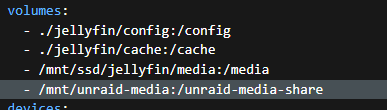
Post-reboot, ensure that the service can see the folder

Test Scenarios and Results
Ensure the mount works on CT reboot
All we're doing is rebooting our media container and checking whether we can still see the contents of the share directory
From the Node Shell
pct stop 101
pct start 101
On reboot from the CT shell
We're going to try to just cd to the share location
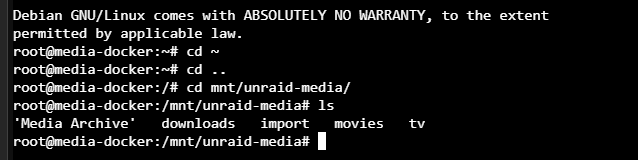
Success
Ensure the mount remounts on Node 2 array stop
This is a realistic scenario that might occur when I'm running maintenance on Node 2
To complete this test, I'm going to use the script my LLM made to test the mount connection every ten seconds on port 445 (TCP)
while true; do timeout 3 bash -c ">/dev/tcp/192.168.1.240/445" 2>/dev/null && P=up || P=DOWN; findmnt -n /mnt/unraid-media >/dev/null 2>&1 && M=mounted || M=MISSING; timeout 5 stat -f /mnt/unraid-media >/dev/null 2>&1; rc=$?; case $rc in 0) I=ok;; 124) I=BLOCKED;; *) I=ERR$rc;; esac; echo "$(date +%T) 445=$P mount=$M io=$I"; sleep 10; doneTesting
First, I'm going to run the script and monitor it

This output indicates the share is mounted and connected. Now I will stop my array and see the results


Now we're getting an I/O error, as expected. The real test is to restart the array and ensure the mount works as normal and that the services still see the share.
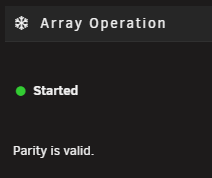
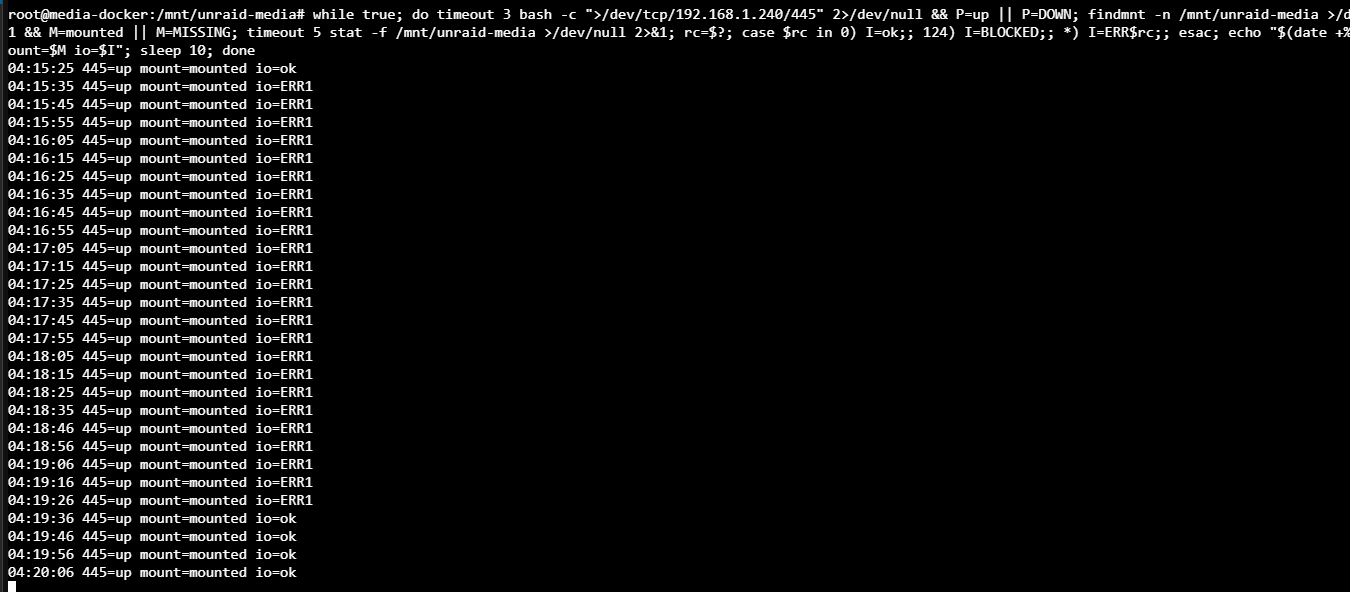
Even after restarting the mount, our script logged the disconnect and the reconnect.
Now all I have to do is ensure my services are still connected, and this test is complete.
Success
This time around, everything remounted automatically and my services picked up where they left off.
Ensure the mount remounts on Node 2 reboot
This test is mandatory because, in the last test, even though the array was off, the Node could still send a rejection when the CT sent a port 445 TCP request. In a scenario where the share is unexpectedly powered down, such as node-2-overheating-issue, I want to ensure on reboot the CT automatically remounts as if nothing ever happened. This was the issue this incident fix never resolved.
I'm going to run the same script from the last test, reboot my node, and test the results.

We got our typical error due to the share not being available; it still shows as mounted, which means our hard-mount implementation is working as intended. Now we just wait for Node 2 to finish rebooting.
It takes a few minutes for my array to fully start, but
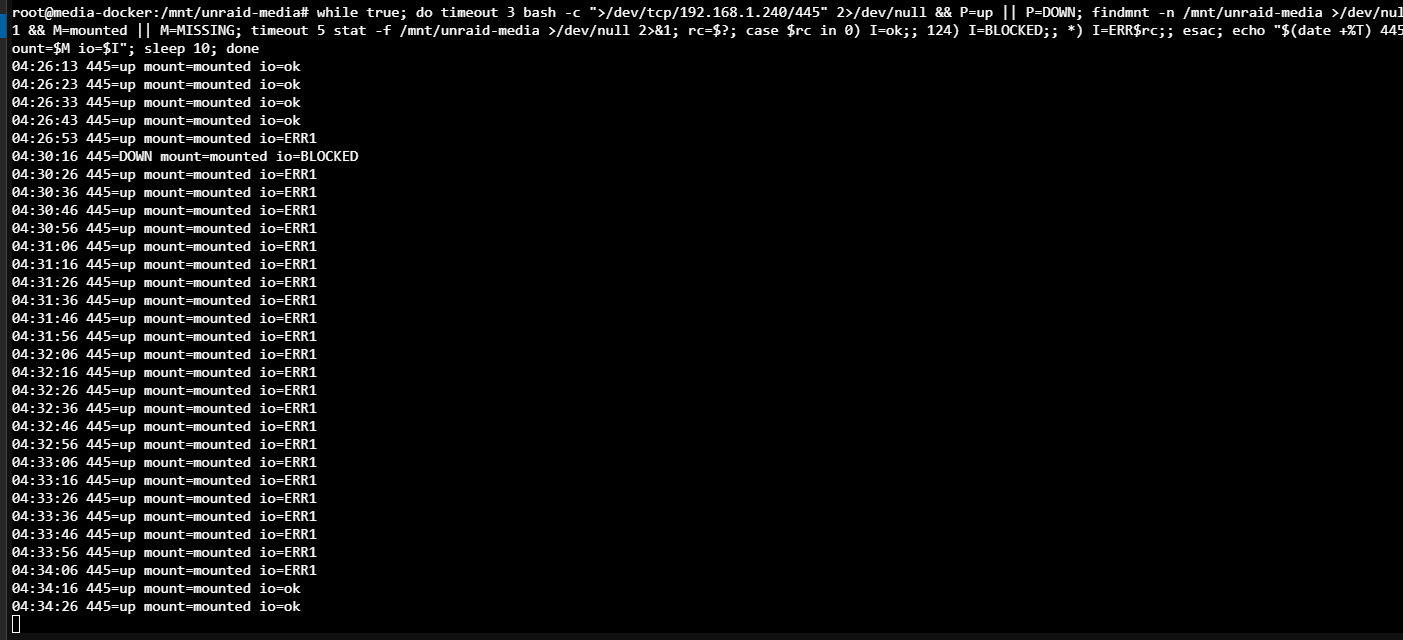
Successful
All Tests Passed
Prevention
I'm going to implement a system where I can monitor my array connection live and get alerts when the connection is down.
To achieve this on my network Docker CT, I'm going to run a service called Uptime Kuma to monitor it.
Deplot the Stack in portainer
services:
  uptime-kuma:
    image: louislam/uptime-kuma:1
    container_name: uptime-kuma
    restart: unless-stopped
    ports:
      - "3001:3001"
    environment:
      - TZ=America/New_York
    volumes:
      - uptime-kuma-data:/app/data

volumes:
  uptime-kuma-data:
Now I have a centralized place to monitor different services at once. Soon I want to tie it all into my Productivity Dashboard project, but for now this will do and the issue has been resolved.
Update
It's been a few weeks, and I've powered off my Node 2 array multiple times for maintenance. On reboot, everything works as normal and all my mounts never error or unmount. They also don't error on boot and crash the service.
// related project
Home Lab →// referenced in
↩ Linux Container failing after Network Drive SMB unmount