Secure Website Hosting System
ACTIVESystem hosted on home lab to securely host multiple websites and admin interfaces.
hosting · port · git · reverse proxy · containers · network security
Summary
The goal of this project is to securely host my websites on home lab. There are multiple phases to this project but the main goal is to ensure easy management of a multi-website hosting system while keeping data secure and segregated.
Documentation
Phase 1 - Website Host Management
This is the easiest part of the project but also the most important to implement. Rushing through this part sets every other phase in this project back.
What is host management
My ultimate goal isn't to just host my website but to host multiple websites. Some sites, including this one, don't just have one site but can also be tied to an admin site or other sites depending on the project goal.
To ensure these websites are secure, I need to implement a system where they're isolated from each other but also easy to manage for maintenance and system updates.
Another reason this is important is because some websites won't get hosted to the public internet like others. For example, this portfolio is exposed to the internet but the admin panel behind it never touches the outside world. It never needs to, as I'm the only person managing it and I have access to my home network home-lab from anywhere securely using a private secure tunnel.
My personal rule of thumb is if there is a way to keep a site local then do it. It indirectly follows the PoLP (Principle of Least Privilege). Though that rule is mainly for access-based roles, if the internet doesn't need to see it and there are ways to keep it directly connected, I won't expose it. No internet = no problems.
How to implement host management
There are many different methods to implementing host management, but for my system I will host each of my sites on a designated Linux container on node 1.
I'm doing this to keep all sites isolated from each other. Implementing my sites like this will be beneficial: in case one of my sites has a vulnerability, I can keep it isolated from other sites and my home network.
Setting Up the Host Container
First I'm going to start by creating the LXC container on my Proxmox node.
CT Configuration
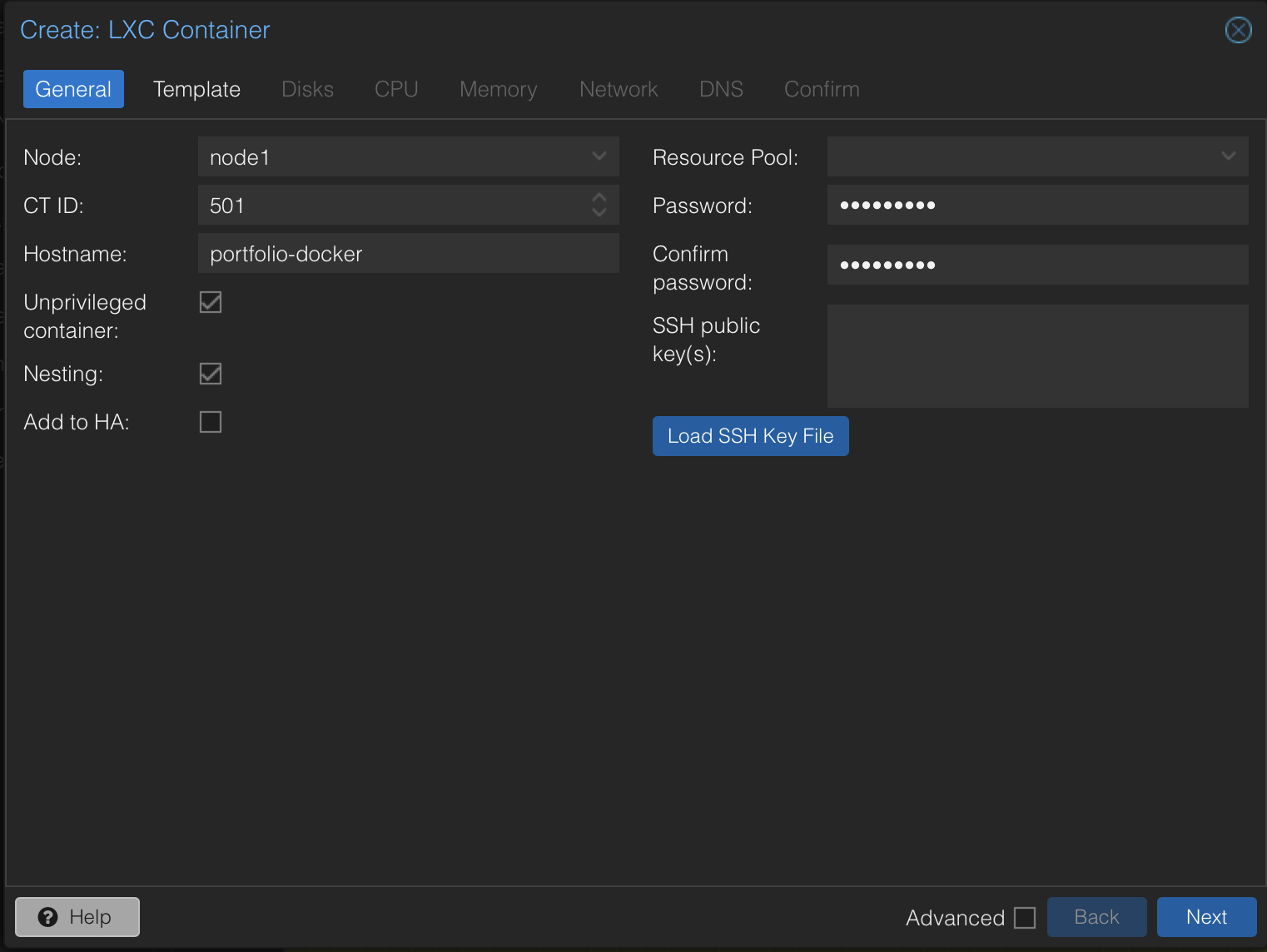
Next I need to install the latest Debian Linux distribution
Commands
pveam update
pveam available | grep debian - Gets all Debian versions
pveam download <storage> <template>
Verify install
pveam list local
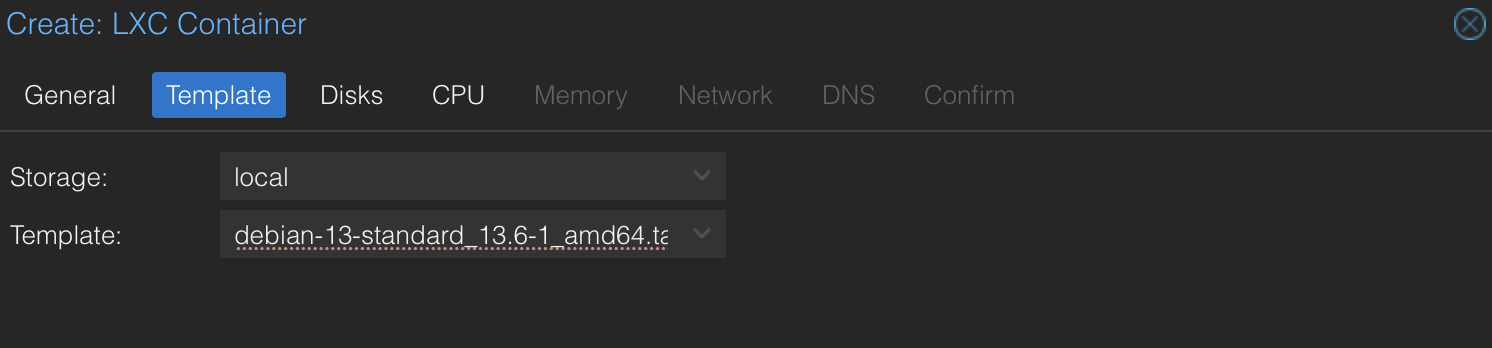
I'm also going to assign 2 cores, 2 GB of RAM, and 16 GB of storage to the CT. Since it's a CT, the usage is dynamic and it only takes what it needs. Also, since this is a site and not holding user data, I don't need to give it much space since it's mostly MDs.
Enable Nesting and Keyctl
Go into nano /etc/pve/lxc/501.conf on the node shell and add features: nesting=1,keyctl=1.
Nesting gives my container the ability to host containers, because by default Proxmox doesn't allow this.
Install Docker
apt update && apt upgrade -y
apt install -y curl git ca-certificates
curl -fsSL https://get.docker.com | sh
Migrating Website
This process will be the same for every future website I host.
First I need to create the directory and pull the site source code from my GitHub.
mkdir -p /opt/portfolio && cd /opt/portfolio
git clone https://github.com/smallbeast21/...
mkdir -p /opt/portfolio/data
I also need to create my env file locally and modify credentials.
cp .env.example .env and then update.
Now all we need to do is build it with
docker compose up -d --build
Results
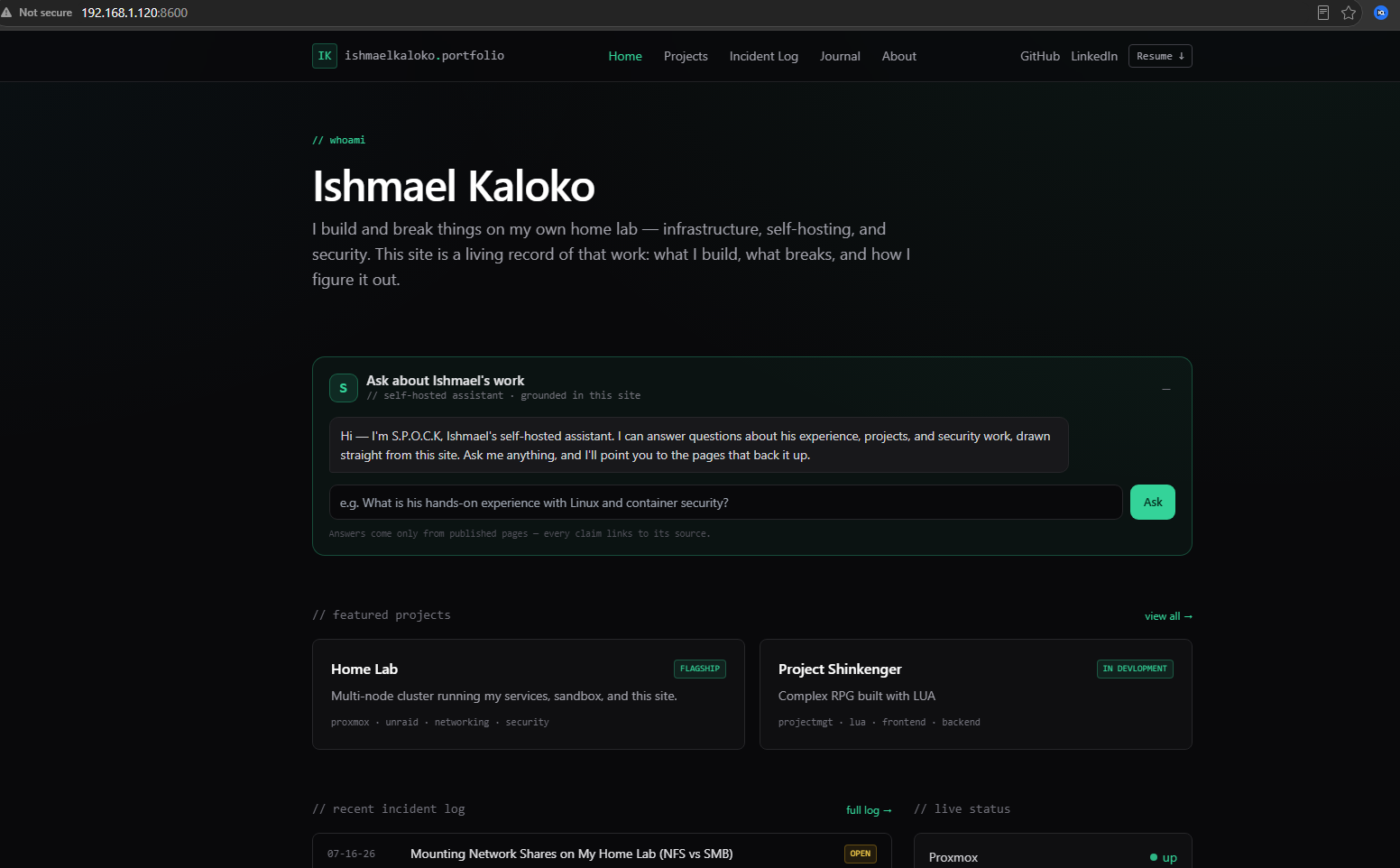
To test, all I have to do is open any browser on my network and go to
192.168.1.x:8600 for Webpage
192.168.1.x:8700 for Admin Page

Source Code Git Push and Pull
One of the key features of my host management system is the ability to push updates from a client device and pull them to the public website. This is important in case any of my clients want to push updates on their own. All I have to do is pull it, and their website is updated. In the future I'll make a service that parses their source code for exploits but for the time being this system satisfies my wants and needs for this service.
First, I stop my docker compose to prevent any corruption when modifying a live file.
cd into project directory
docker compose down
Pull latest source code
git pull
Rebuild compose
docker compose up -d --build
Results
When testing my push and pull, I fixed a feature on my admin page where entries could drag and drop media, but my projects couldn't. I added the feature to projects, pushed it to the repo, and pulled it on my CT.

Now, at the bottom of projects, the feature was successfully pushed into my container.